
Nothing has officially unveiled the Phone 4a Pro, marking a significant upgrade in the company’s midrange smartphone lineup. Beyond the impressive hardware – featuring a Snapdragon 7 Gen 4 chipset, 140x ultra zoom, and a 50MP triple camera system – the device comes with beautifully designed stock wallpapers that complement its sleek aesthetic. If you’re looking to download and install the Nothing Phone 4a Pro wallpapers on your Android or iPhone, this guide covers everything you need to know.
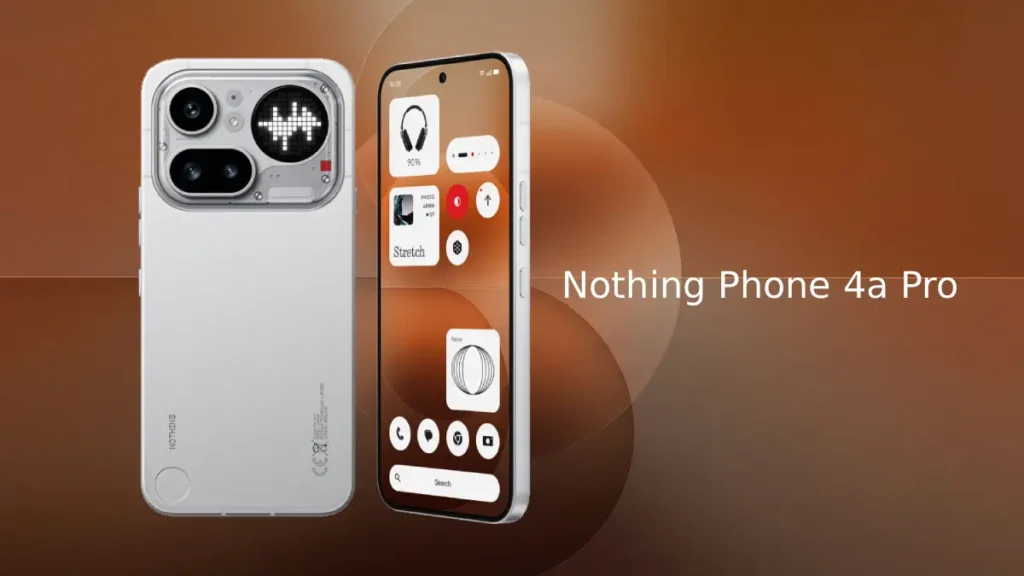
Table of Contents
About the Nothing Phone 4a Pro
The Phone 4a Pro represents Nothing’s commitment to minimalist design and cutting-edge technology. Available in Black, Silver, and Pink, the device features:
- Metal frame construction for premium durability
- Larger display (6.83-inch 144hz AMOLED) for enhanced viewing experience
- 50MP triple camera system (50 + 50 + 8MP) with periscope lens capability
- 140x ultra zoom for detailed distant photography
- Glyph Matrix notification system like the flagship Phone 3
- Snapdragon 7 Gen 4 chipset for faster performance
- 5400 mAh battery for long lasting
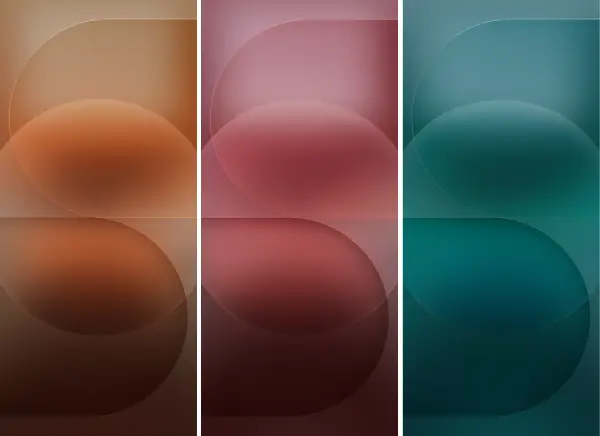
The wallpapers that ship with the Phone 4a Pro are carefully designed to match the device’s minimalist philosophy and color variants. The device features three exclusive stock wallpapers, each tailored to match the device’s available color options. These designs express the company’s minimalist aesthetic while maintaining visual sophistication.
In addition to the three primary stock wallpapers, users also have access to Nothing OS 4 wallpapers pre-installed on the device, giving you multiple options for personalization.
All Phone 4a Pro wallpapers are available in FHD+ resolution, ensuring crisp, detailed visuals on any modern smartphone. Whether you own an Android device or iPhone, you can download and apply these wallpapers to your home screen or lock screen.
Download Nothing Phone 4a Pro Wallpapers
Download the wallpapers using the links provided below for your device. After downloading, open your device’s file manager and navigate to the Downloads folder. Unzip the wallpaper zip file, and then select the wallpaper you wish to use. Tap the three-dot menu icon to access wallpaper options, select “Set as wallpaper” and choose your preferred location (home screen, lock screen, or both)
Download Nothing Phone 4a Pro Wallpapers for Android and iOS (Gdrive)
For users seeking further customization, third-party wallpaper apps also support FHD+ resolution images, allowing you to expand your personalization options beyond the official stock designs.
The Nothing Phone 4a Pro wallpapers represent more than just visual prettification – they’re an integral part of the device’s premium experience. Whether you prefer the elegance of Black, the sophistication of Silver, or the boldness of Pink, these wallpapers ensure your device looks exactly as the designers intended.


