

OnePlus has officially unveiled the OnePlus 15T, its latest compact flagship smartphone, and it’s packed with impressive upgrades that smartphone enthusiasts have been waiting for. Beyond the powerful hardware—featuring a 7,500mAh battery, dual 50MP cameras, Snapdragon 8 Elite Gen 5 processor, and 100W fast charging – the OnePlus 15T also comes with a stunning collection of new wallpapers that showcase the phone’s design philosophy.
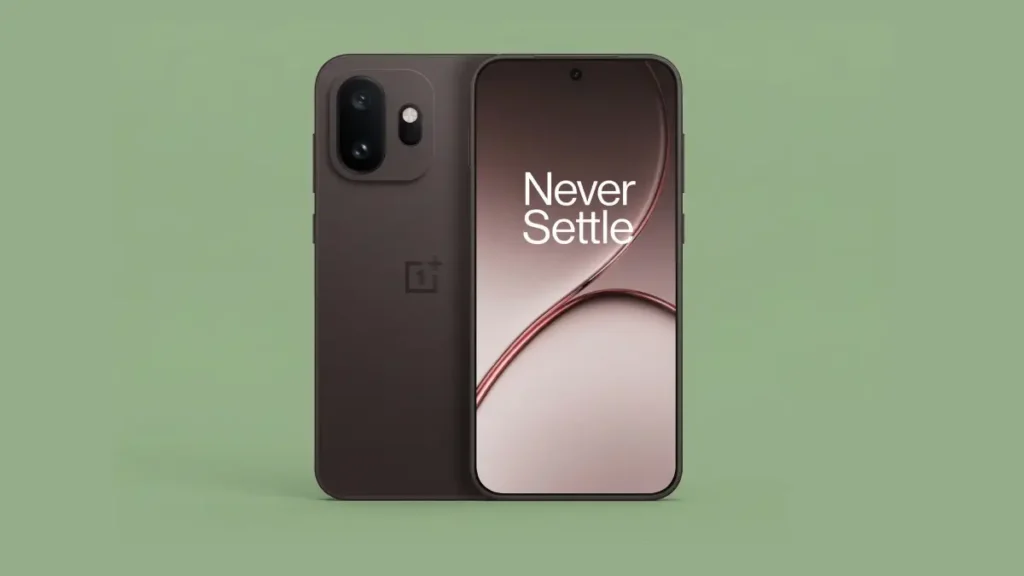
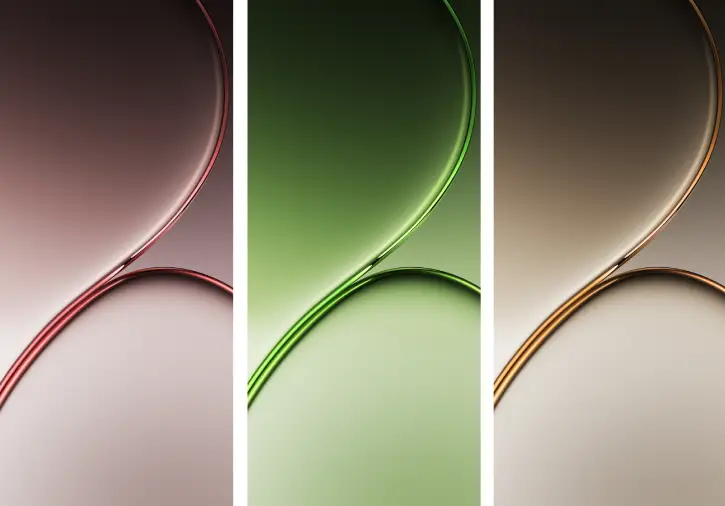
Like every OnePlus device, the OnePlus 15T ships with a beautiful set of vibrant, exclusive wallpapers designed to complement the phone’s premium aesthetic. The new stock wallpaper collection features three soothing abstract designs, each carefully color-matched to the phone’s three striking colorways.
OnePlus 15T Color Variants & Matching Wallpapers
The OnePlus 15T is available in three elegant finishes, each paired with a unique wallpaper design:
- Healing White Chocolate – A serene, light-toned abstract wallpaper
- Relaxing Matcha – A calming green-inspired design
- Pure Cocoa – A rich, warm abstract pattern
Each wallpaper is thoughtfully designed to create a cohesive visual experience with your chosen device color, enhancing the overall aesthetic of your home screen and lock screen.
All OnePlus 15T wallpapers are available in high-quality 1216 x 2640 pixels resolution, ensuring they look crisp and vibrant on your display. The wallpapers come in both static and live formats, giving you flexibility in how you personalize your device.
In addition to the three exclusive stock wallpapers, the OnePlus 15T also includes the ColorOS 16 wallpaper collection, providing even more options to customize your smartphone’s appearance.
How to Download and Set OnePlus 15T Wallpapers
Getting these stunning wallpapers on your device is simple and straightforward:
- Download your preferred OnePlus 15T wallpaper using the links provided below
- Navigate to your phone’s Downloads folder
- Select the wallpaper you want to use
- Open the image file
- Tap the three-dot menu icon
- Choose “Set as Wallpaper” and select whether you want it on your home screen or lock screen
- Confirm your selection
- That’s it—your new wallpaper is now live!
Download OnePlus 15T wallpapers (Gdrive)
ALSO READ: How to Use OnePlus’s New AI Feature to Convert Photo to Video
Why Download OnePlus 15T Wallpapers?
Even if you don’t own a OnePlus 15T, these wallpapers are worth downloading. The minimalist abstract designs are versatile and work beautifully on any Android smartphone, offering a premium aesthetic that elevates your device’s visual appeal. The high resolution ensures clarity and detail, while the soothing color palettes create a calming user experience.
Conclusion
The OnePlus 15T wallpapers represent the brand’s commitment to delivering not just powerful hardware, but also thoughtful design elements that enhance your daily smartphone experience. Whether you’re a OnePlus enthusiast or simply looking for high-quality wallpapers to refresh your device, this exclusive collection is definitely worth exploring.
Download your favorite OnePlus 15T wallpaper today and give your smartphone a premium, personalized look.

