

AI-generated images, videos, and audio are getting so realistic that it’s becoming harder to tell what’s real and what’s fake. Since these tools are now easy to use, synthetic content is spreading quickly across social media. That makes it easier for misleading posts to go viral and leaves everyday people with the tough job of figuring out what they can trust.
Even people who are comfortable with technology can sometimes spot the signs of AI-created content, but many others still believe what they see at first glance. When fake content passes as a real event, it can create confusion, spread misinformation, and quietly shape opinions in ways that are hard to undo. Over time, that can weaken trust in what we see online.
Google has introduced a tool called SynthID Detector, which helps users check whether an image, video, or audio file was created using AI from Google, OpenAI, NVIDIA, Kakao, Apple, and others. With SynthID Detector, users can upload a file and get help identifying whether it may be AI-generated.
How to Use SynthID Detector to Identify AI Generated Content
1. Visit the Google SynthID Detector page and sign in with your Google account.
2. Upload the file you suspect is synthetic.
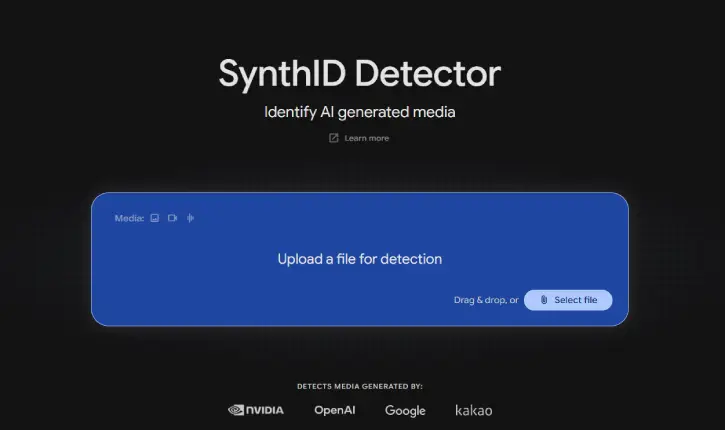
3. The tool analyzes the file and informs you whether it was AI-generated.
Physical Inspection Techniques to Spot AI-Generated Content
Look for natural motion: AI can struggle with real-world physics, so watch for awkward movement, strange timing, or objects that don’t line up properly.
Watch eye movement and blinking: Eyes that blink too fast, too slowly, or not naturally can be a giveaway.
Check for repetitive or robotic gestures: Stiff or repeated movements in the face, hands, or body may suggest the content is synthetic.
Examine skin tone, lighting, and background: Overly smooth skin, mismatched lighting, or odd background details can signal something is off.
Final thought:
AI-generated content isn’t always bad, but it does mean we all need to be a little more careful about what we trust online. A quick check with the right tool — and a closer look at the details — can go a long way in helping us avoid misinformation and stay better informed.

