

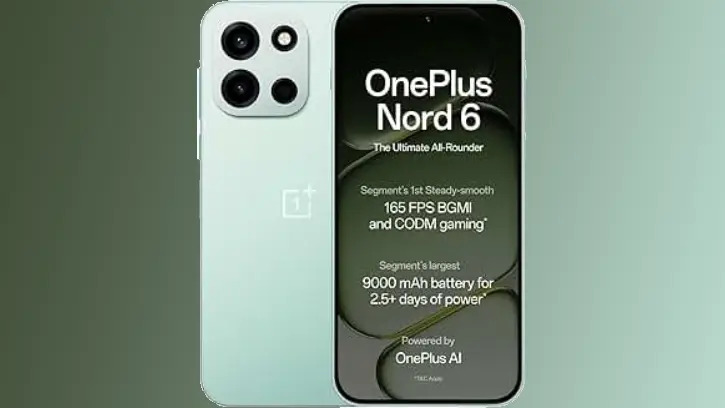
OnePlus launched Nord 6 that brings flagship-level performance to an accessible price point, mirroring the quality of the OnePlus 15. Key highlights include the Snapdragon 8s Gen 4 processor for powerful performance, a substantial 9000mAh battery for all-day usage, a 50MP Sony main camera with dual-axis OIS for professional-grade imaging, and comprehensive AI integration across the device.
OnePlus devices are renowned for their hand-picked collection of minimalist and abstract wallpapers, a design philosophy that the latest Nord 6 model proudly maintains. The Nord 6 introduces an exciting new lineup of wallpapers that are now accessible for download to personalize your device.
The OnePlus Nord 6 combines advanced processing power with gaming-optimized features. Its tri-chip architecture integrates the flagship Snapdragon 8s Gen 4 processor alongside a dedicated touch reflex chip and Wi-Fi booster chip for enhanced responsiveness and connectivity.
For gaming enthusiasts, the device delivers segment-leading 165 FPS performance in demanding titles like BGMI and Call of Duty: Mobile, paired with a 165Hz OLED display inspired by gaming PC aesthetics. The 9000mAh battery offers exceptional longevity, making it the largest in its segment, ensuring extended gaming sessions and daily use without frequent recharging.
Download OnePlus Nord 6 Wallpapers in FHD+ Resolution
The OnePlus Nord 6 is available in three distinctive color options: Fresh Mint, Pitch Black, and Quick Silver, each paired with a coordinating color-matched wallpaper. These wallpapers are shared with the OnePlus 15 lineup, maintaining visual consistency across the brand’s premium devices. All wallpapers are provided in FHD+ resolution, ensuring exceptional image quality without compromise.
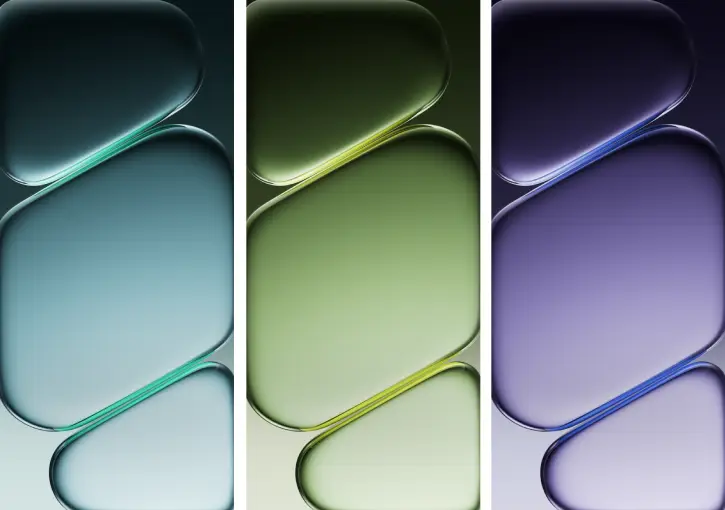
If you’re seeking elegant abstract wallpapers to elevate your Android or iPhone home screen and lock screen, the OnePlus Nord 6 collection is available for download below. This package includes three premium stock wallpapers designed to complement your device’s aesthetic.
Download OnePlus Nord 6 Wallpapers for Android and iOS
Download Nord 6 wallpapers (Gdrive)
After downloading, open your device’s file manager and navigate to the Downloads folder. Unzip the wallpaper zip file, and then select the wallpaper you wish to use.
Tap the three-dot menu icon to access wallpaper options, select “Set as wallpaper” and choose your preferred location (home screen, lock screen, or both)
Conclusion
The OnePlus Nord 6 wallpapers represent more than just visual decoration—they’re a curated extension of the device’s premium design language. Whether you opt for the serene Fresh Mint, elegant Pitch Black, or sophisticated Quick Silver aesthetic, these FHD+ wallpapers deliver stunning clarity and color accuracy. Download your preferred wallpaper today and transform your device into a personalized masterpiece that reflects your style.

