

How to Set Per App Volume in Windows 11
Personalization is one of the best features of Windows 11, allowing users to customize their computing experience to their liking. We can change themes,...

How to Enable or Disable Secure Login in Windows 11
In Summary:Secure sign-in adds extra security to Windows 11.Users need to press CTRL+ALT+DEL before log into the system.Enable it from User Account setting or...
Windows 11 PC Won’t Boot If You Install 24H2 Update on Unsupported CPU
Microsoft is gearing up to unveil a significant update to Windows 11 24H2, incorporating advanced AI functionalities, machine learning elements, along with a slew...
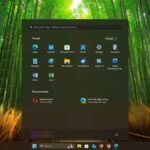
Microsoft Introduces Ads on Windows 11 Start Menu: How to Disable it?
Microsoft has recently made a significant change to its Windows 11 operating system by introducing ads on the Start Menu. The latest version of...
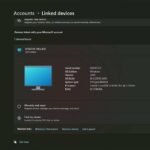
How to Check Your Devices Linked to Your Microsoft Account on Windows 11
Windows 11 is getting a new “Linked Devices” option to check devices linked to your Microsoft account. Previously, it was only possible via a...
Understanding the VmmemWSA Process and How to Stop it From Consuming Excess RAM in...
Have you noticed an unusual process, VmmemWSA, in the task manager that consumes unusually high memory on your Windows 11 system? The VmmemWSA process...
Fix File Explorer Crash in Windows 11 Due to Incompatible Software
File Explorer is a significant part of the Windows operating system, as it helps you manage your files. It has undergone vital UI changes...
