

Open AI has recently introduced its latest flagship GPT model, GPT-4o (ChatGPT-4 Omni), which has GPT 4 level artificial intelligence with enhanced speed and provides more accurate answers to most queries. It is available for free with limited capabilities to all ChatGPT users.
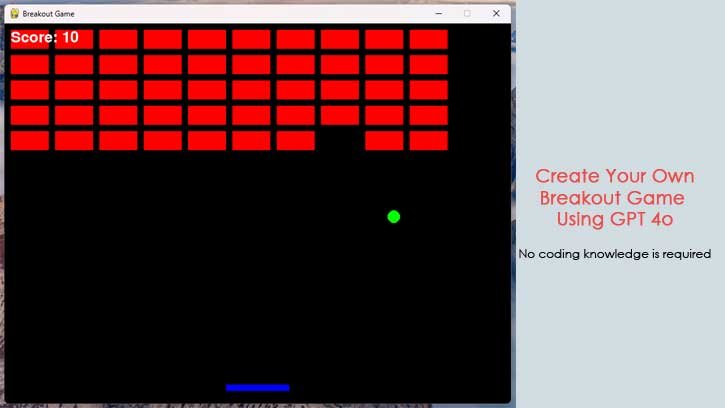
You can use the code-generation capabilities of ChatGPT GPT-4o model to create classic retro games without any coding knowledge. In this guide, I’ll describe a step-by-step guide to create the class Breakout game for your PC. All you need to have GPT-4o access, Python and Notepad++ apps installed on your PC.
Breakout is an arcade video game created in nineties. In this game, a layer of bricks lines the top third of the screen and the goal is to destroy them all by repeatedly bouncing a ball off a paddle into them. Here is how to create your own Breakout game using GPT-4o model.
How to Create Breakout Retro Game Using GPT 4o?
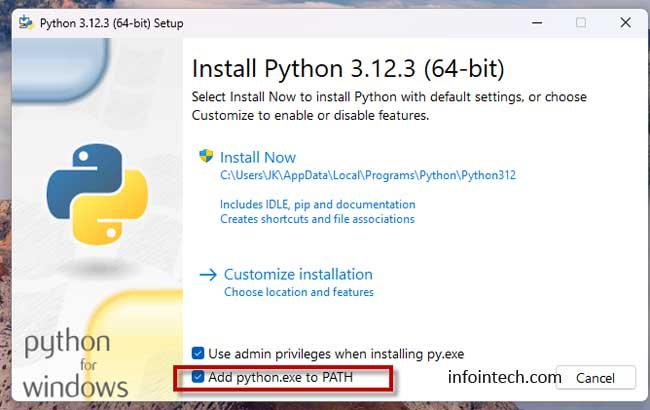
1. First, download the Python setup file (link) and launch it.
2. Enable the option “add Python.exe to Path’ and Click Install Now button to install it on your PC.
3. Next, download the Notepad++ app (link) and install it on your PC.
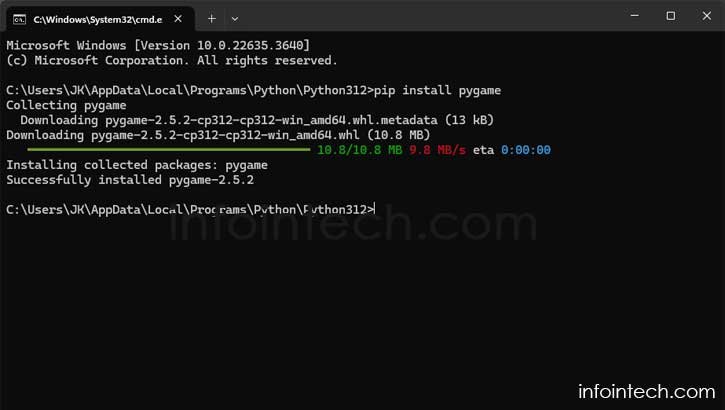
4. Now, go to the Python installation directory, type CMD in the address bar, and press Enter to launch the Command prompt.
5. Now type the below command to install a game module: pip install pygame
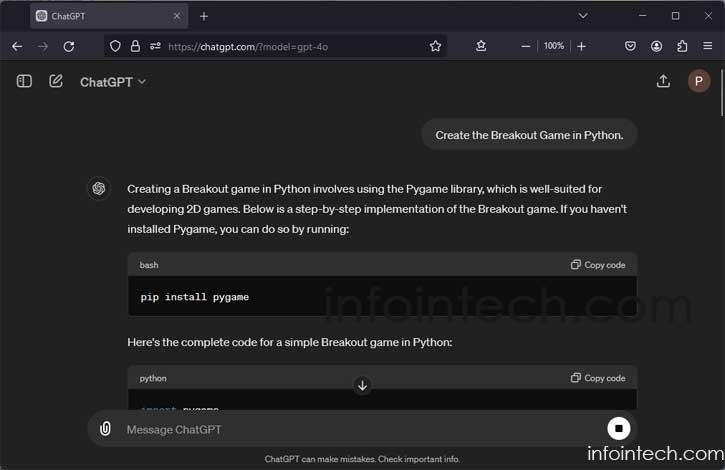
6. Next step is go to the ChatGPT 4o website and sign in to your account.
7. Now, enter the query ‘Create the Breakout Game in Python‘ in the message box and press Enter.
8. Next, instruct ChatGPT to ‘Add a Replay Function’.
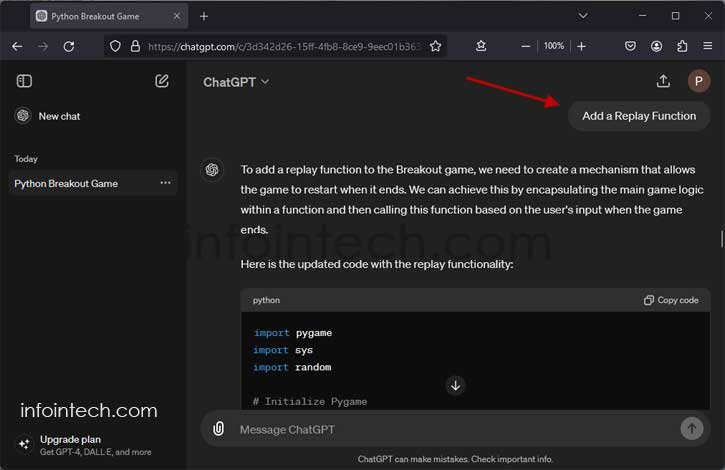
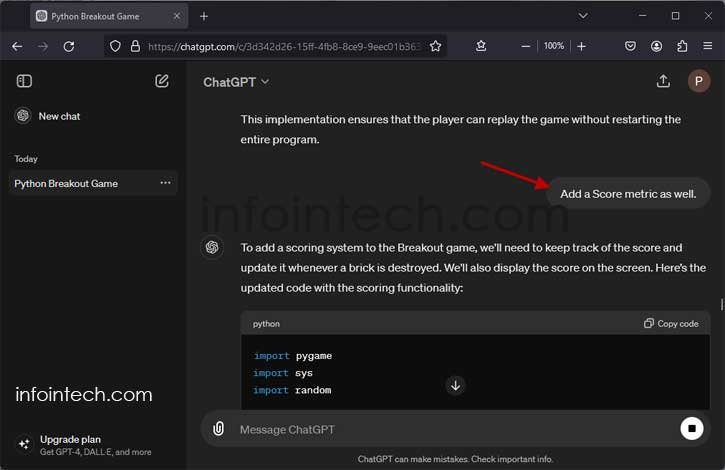
9. Finally, ask it to ‘Add a Score metric’
How to Create Breakout Game Using the GPT 4o Generated Code?
1. Once the GPT 4o generated the game, copy the Python code.
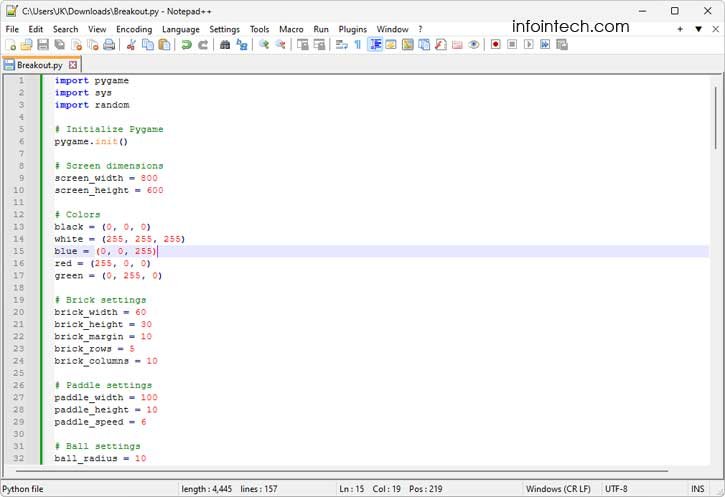
2. Open the Notepad++ app, click the File tab and select New.
3. Paste the Python code you have copied.
4. Now, select Save As and change Save as to All Types. Name the file Breakout.py and save it inside the Python installation directory.
5. Now, double click the Breakout.py to start playing the game.
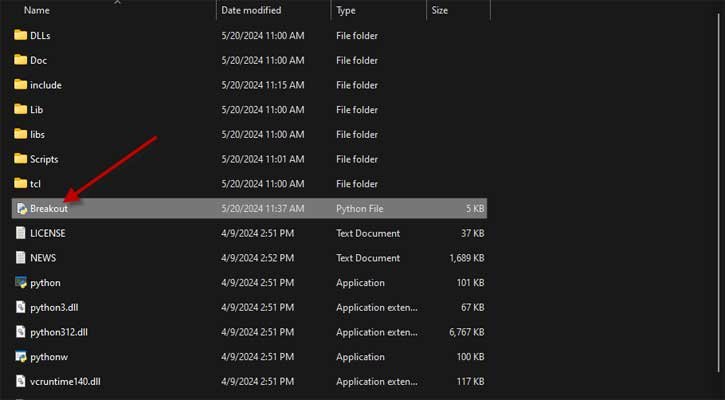
You can drag and drop the Breakout.py shortcut to your desktop (Windows 11) to quickly start playing the game. Enjoy! That is all how to create your own game using using the new ChatGPT 4o model.

