

Markdown is a simple, easy-to-use way to format plain text without relying on HTML. Instead of using complicated tags, it uses symbols that are quick to type and easy to read. Now, Google Docs supports Markdown files natively, making it easier to open, edit, view, and collaborate on .md and .markdown files without converting them first.
How to get Markdown file editing in Google Docs
Google is gradually rolling out native Markdown file editing in Google Docs, and the feature will be available to all Google Workspace users as well as people with personal Google accounts.
Until now, opening a Markdown file in Google Docs usually meant converting it first. That often caused formatting problems, removed comments, or split the file into pieces. With this update, you can open Markdown files directly in Docs while keeping them in their original format.
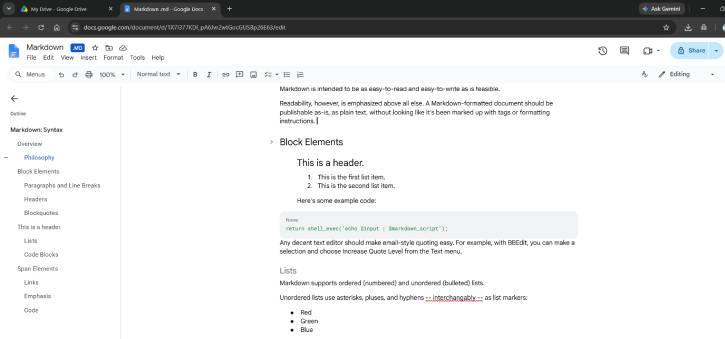
The new support also keeps real-time editing and commenting intact, so teams can work on the same file normally without needing to deal with raw Markdown syntax.
Google says Markdown is widely used by both people and AI tools because it preserves structure such as headings, tables, and bulleted lists. This update is designed to make it easier for humans and AI agents to work together in the same files, without extra conversion steps.
Google Drive also now lets you view or read Markdown files, complete with clickable links and neatly formatted tables. That means you can check how the document looks before opening it in Docs.
How to Open Markdown files in Google Docs
- Upload your
.mdor.markdownfile to Google Drive. - Select the file and press Ctrl + Alt + P to preview it.
- If you see a formatted preview instead of plain text, the feature is available to you.
- Double-click the file to open it in Google Docs, where you can edit or add comments while keeping it as a Markdown file.
Final Thought
This update makes working with Markdown in Google Docs much smoother. Instead of converting files and risking formatting issues, users can now open and edit Markdown documents directly, saving time and keeping everything intact.

