

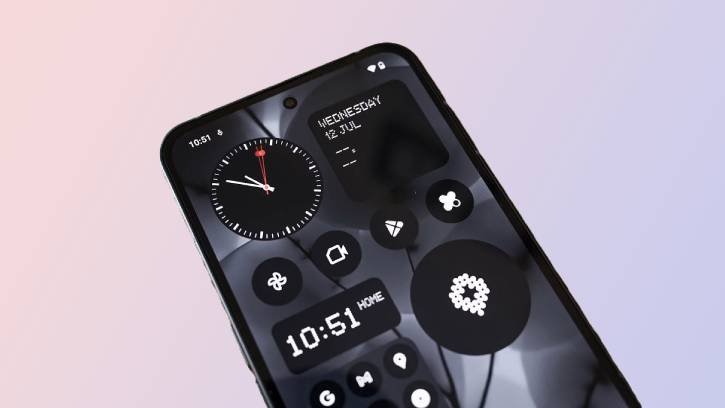
App widgets helps users access information directly from your Android phone’s home screen and lock screen, eliminating the need to open each app individually. As you all know, not all apps have widget support. If you are looking for apps that support widgets, the Google Play Store has Widgets filter that makes it easy to find apps that has widget support.
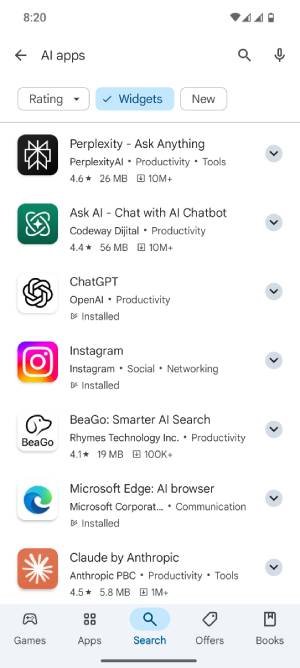
Widgets filter is a new feature of Google Play Store that allows users to easily find and utilize apps that enhance their home screen functionality with widget. According to reports, Google will soon introduce a Widget badge on the app pages of those that offer widgets.
Here is how to find apps that supports widget on Google Play Store.
How to Find Apps with Widget Support on the Google Play Store
- Open the Play Store app on your Android device.
- Use the search function to look for apps.
- You will see a “Widgets” filter among the options at the top of the screen.
- Tap on “Widgets” to display only the apps that offer widgets.
- To access the installed widgets on your Android phone or tablet, long-press on the home screen and select “Widgets.”
- Choose a widget, then press and hold it, and drag it to your desired location on the home screen.
ALSO READ: Guide to Rollback or Uninstall Google Play System Update (2 Methods)
Key Features of Android Widgets
Widgets on Android phone are interactive elements that provide users with quick access to information and functionality from their favorite apps directly on the home screen of their device. Users do not need to open the app.
Real-time information, interactivity, customization, and dynamic content are the main characteristics of widgets.
Many widgets can display real-time data, such as weather updates, calendar events, news headlines, or social media notifications. This allows users to stay informed without needing to open the app.
Some widgets are interactive, enabling users to perform actions directly from the widget itself. For example, a music player widget might allow users to play, pause, or skip tracks without opening the music app.
Users can often customize the appearance of widgets, including their size, color, and layout. This personalization enhances the aesthetic appeal of the home screen.
Also, some widgets can change their content based on user interactions or time of day. For example, a task manager widget might show different tasks based on the time of day or user preferences.

