
How to Get macOS Quick Look Feature on Windows 11
Quick Look is a feature in macOS that lets you quickly preview files without opening them fully. For example, if you want to see...
Why and How to Use PowerShell to Scan Windows 11 PC for Virus
PowerShell is a command-line tool and scripting language developed by Microsoft. It allows users to automate tasks and manage system configurations on Windows and...

How to Enable Start Menu Mobile Sidebar for iPhone/Android on Windows 11
Microsoft has updated Windows 11 24H2 with a mobile sidebar for Start menu. Android and iPhone users can see their phone’s battery status, messages,...
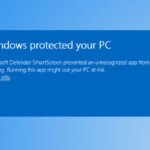
A Step-by-Step Guide to Install Apps from Unknown Publishers on Windows 11
Windows 11 is a more secure operating system compared to previous versions. One example is that it will not allow you to install apps...
Steps To Use MS Paint Generative Erase AI To Remove Objects From Images
From basic image editing functions, MS Paint has slowly been transforming into a comprehensive image editing tool for Windows. In Windows 11, the Paint...
God Mode: Create Separate God Modes for Specific Sections in Windows 11
God Mode in Windows enables users to access all settings without the need to navigate through multiple dialog windows. It offers a centralized location...

3 Most Popular Methods to Clear DNS Cache in Windows 11
Internet connection issues are a common occurrence on Windows computers, and there can be various reasons behind them. Corrupted DNS cache, faulty network devices,...
