

DeepSeek is the latest hot topic in the AI world! The open-source project has dropped the DeepSeek R1 model, a free alternative to OpenAI’s $200 ChatGPT o1 model. However, due to high demand and some unknown reasons many users aren’t able to create an account on DeepSeek using their Gmail account.
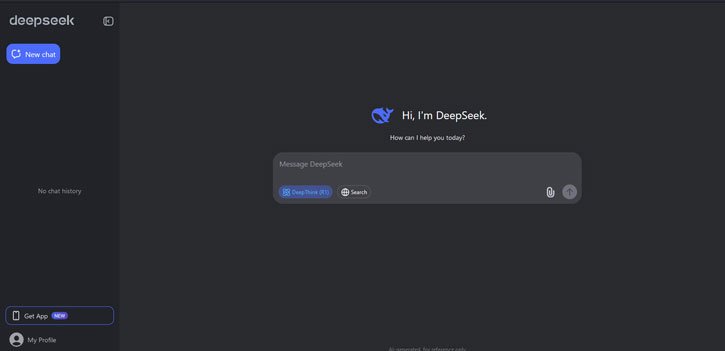
If you’re not receiving the DeepSeek sign-up verification code in your Gmail or you’re seeing the error message, “Sorry! We’re having trouble sending you an email right now. Please try again later,” you’re not alone. Here are some reasons for the account sign-up issues with DeepSeek AI and how to fix them.
Table of Contents
Possible Fixes For DeepSeek AI Verification Code Not Receiving Issue
Many users have found that signing up for DeepSeek AI works better with non-Gmail accounts, such as Outlook or Yahoo Mail. This method fixes sign-up verification code not receiving issue.
Another effective solution is to use the “Login with Google” option, which has helped many users bypass the sign-up issues. If you are not receiving the verification code, be sure to check your Gmail Spam or All Mail folders.
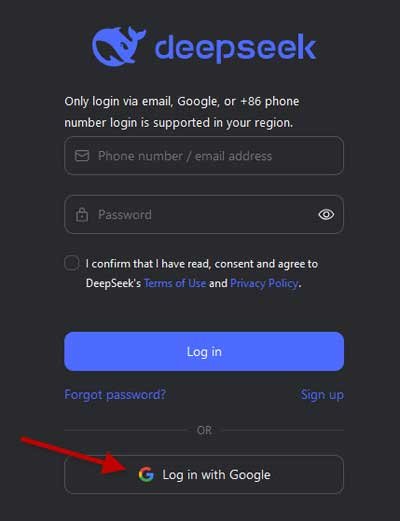
If you continue to experience difficulties signing up for DeepSeek, it may be due to malicious attacks on their services. In that case, please be patient while they resolve the issue.
About DeepSeek AI
DeepSeek is an open-source project dedicated to delivering advanced search capabilities. They often utilize deep learning techniques to enhance the reasoning and search experience.
The open-source nature of DeepSeek means the source code is publicly available for anyone to view, modify, and distribute. This open approach encourages collaboration, contribution, and adaptation by developers and researchers to meet their specific needs.
The latest DeepSeek R1 model is all about reasoning. This shows the company is really serious about specialized AI stuff. They used a mix of supervised fine-tuning and reinforcement learning to train R1, and it’s turned out to be crazy good at complex logical tasks and advanced reasoning.
DeepSeek AI app is now available for Android, iOS and Desktop (web version). Please note that the app for Android and iOS may not be available in all country.

