

Mozilla Firefox has introduced a new user interface called Nova Design for desktop and mobile devices. The new UI features rounded tabs, curved corners, and colorful gradients, giving the browser a fresh, modern look. However, if you prefer the classic UI, you can easily switch back from the preferances menu.
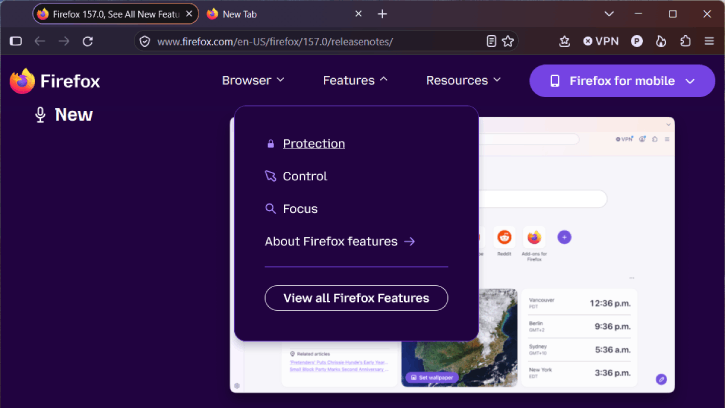
The new Nova UI, comes with Firefox 157 stable version, brings a refreshed look and feel to the entire browser. You’ll notice updated colors, icons, and themes across everything—from the tabs, toolbars, New Tab page, Private Browsing mode, and more.
This guide explains how to restore Firefox’s classic interface by disabling the Nova Design. It is simple, all you need to change the browser preference value browser.nova.enabled to false.
How to Disable Nova UI in Firefox Browser
1. Type about:config in the address bar and press Enter.
2. Click the ‘Accept the Risk and Continue’ button.
3. In the ‘Search preference name’ box, type browser.nova.enabled
4. The preference will appear in the pane below. Click the adjacent button to flip the value from True to False.
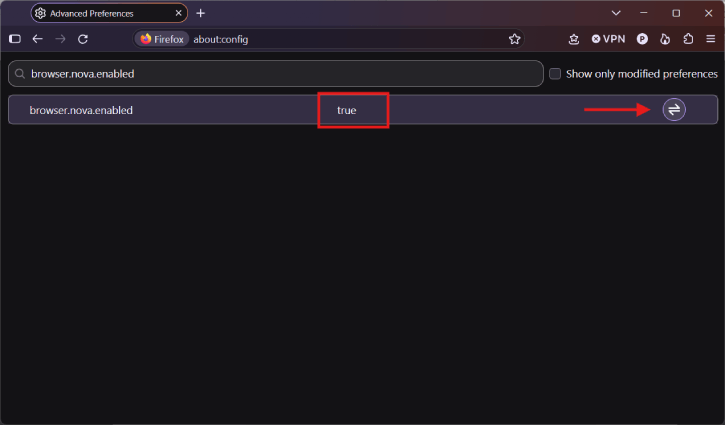
5. Your Firefox browser will now switch back to classic UI. To return to Nova UI, change the preference value to True.
Note: This setting switches Firefox’s main interface from the Nova UI to the classic UI. However, other Nova elements—such as the theme picker, New Tab page, address bar, and built-in PDF viewer—are controlled by separate preferences. To switch those components back as well, update the following settings:
browser.aboutaddons.novaThemesPickerEnabled
browser.newtabpage.activity-stream.nova.enabled
browser.urlbar.quicksuggest.ampTopPickUseNovaIconSize
pdfjs.enableNova
FYI, the new Nova UI has also added new built-in themes with light and dark options, allowing users to personalize Firefox with a single click. In addition, the new compact mode reduces the spacing around tabs and toolbars, leaving more room for web content. This is especially useful on smaller screens or when using Firefox in a split-screen layout.
Conclusion Thought:
Nova UI is Firefox’s biggest visual update in years. It introduces a modern look across the browser, including the toolbars, sidebar, menus, and individual features, all built around Firefox’s updated design system.

