

Firefox for iPhone and iPad has been updated with an ad-blocking feature. It isn’t currently available on Firefox for Android or desktop, since ad-blocking extensions are already available there. Because the iOS version of Firefox doesn’t support browser extensions, this is a welcome addition. Here is how to turn on this feature.
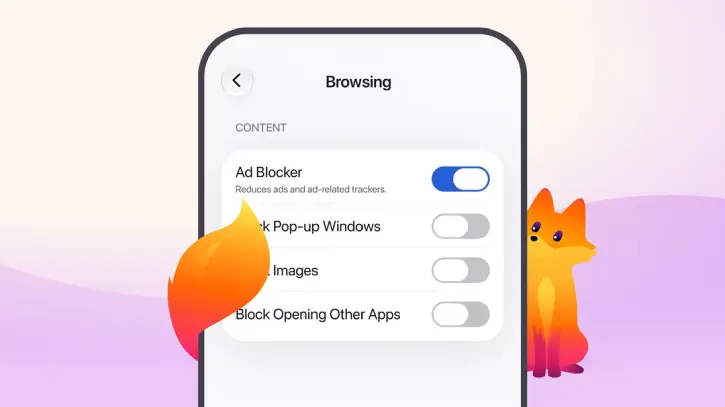
Ad-blocker in Firefox browser offers a cleaner browsing experience by blocking many third-party ads and ad-related trackers before they load. This means fewer pop-ups, overlays, and distracting elements competing for space on your screen.
How to Turn on Ad Blocker in Firefox for iOS
Because the Ad Blocker is off by default, you need to enable it manually in your settings. You do not need to download any separate extensions.
- Open the Firefox app on your iOS device (If you haven’t installed Firefox browser, download the latest version from App Store).
- Navigate to Settings.
- Select Browsing.
- Toggle Ad Blocker to the on position.
How Firefox’s Ad-blocker Works on iOS
Firefox for iOS uses Apple’s WebKit Content Blocker technology combined with the EasyList filter list to identify and block third-party ads and trackers before they even load.
It works in tandem with Firefox’s Enhanced Tracking Protection to keep your browsing experience private and clean.
However, keep in mind that while the Ad Blocker handles many distractions, it is designed to be selective. Most third-party ads and ad-related trackers on web pages.
It blocks ads served directly by the website you are visiting, ads within search results, and sponsored shortcuts or content found on the Firefox new tab page.
FYI, Mozilla has quietly added one of the web’s strongest ad-blocking engines to Firefox desktop version. In addition to VPN integration, Split View, and a few other upgrades, the browser now includes adblock-rust — the Rust-based ad and tracker blocker that powers Brave’s built-in content blocking. Read on to know how to enable this feature.
Final thoughts:
The built-in ad-blocker function in Firefox browser for iPhone and iPad brings fewer distractions, faster pages, and a cleaner mobile browsing experience. Try it out now.

