

Did you know that you can access the classic Snake game hidden on any Nothing or CMF phone? That’s right! You can enjoy this nostalgic game, originally found on early mobile devices, right on your Nothing or CMF phone. Here’s how to enable and play it.
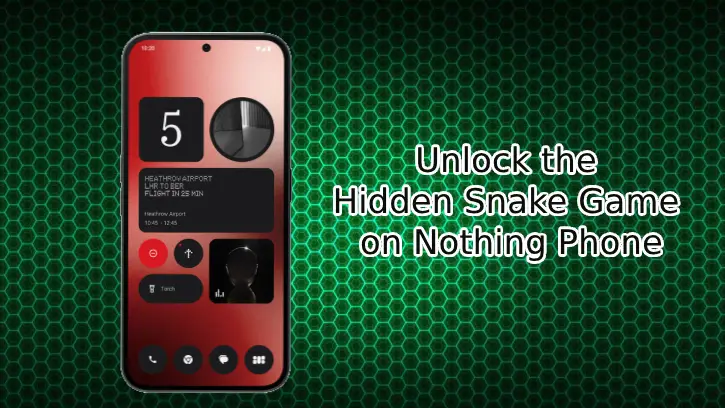
About Snake Game:
If there’s one game that truly requires no introduction, it is undoubtedly Snake. This iconic classic game has captivated players for decades with its simple yet addictive gameplay. Originating on early mobile devices, Snake game has become a cultural phenomenon, inspiring countless variations and adaptations, and remains a beloved favorite among gamers of all ages.
How to Unlock the Hidden Snake Game on Your Nothing and CMF Phone
1. To get started, download and install the Nothing Community Widget from the Play Store.
2. Next, long-press on an empty area of your home screen and select “Widgets.”
3. Scroll down to find the Snake Game widget, tap on it, and then tap again to add it to your home screen.
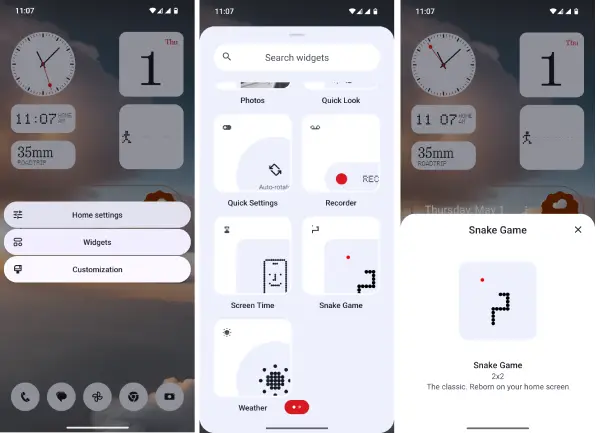
4. You can now enjoy playing the game directly within the widget window!
ALSO READ: What is RAM Booster in Nothing Phone and How to Enable it
How to Play the Snake Game on Your Nothing or CMF Phone
To begin playing the Snake game, simply tap on the widget. Inside the widget area, swipe to control the snake: swipe up to move up, left to go left, and so on.
Your goal is to make the snake eat the red dot, which represents food. The more food you consume, the longer your snake will grow! When the snake touches any part of its own body, the game ends.
Tapping on the widget or lock the screen will pause the game.
Limitations of the Snake Game on Nothing/CMF Phone
The Snake game on Nothing and CMF phones has a few limitations that may detract from the overall experience.
Firstly, you cannot resize the widget, meaning the playing field remains fixed. Additionally, unlike the original game, the snake won’t crash when it hits the borders or walls; instead, it simply passes through them.
That’s all there is to it! You’ve now learned the steps to unlock the hidden Snake game on any Nothing or CMF phone. With just a few simple actions, you can enjoy this classic game right on your device. Dive into the nostalgia and have fun guiding the snake to victory!

