

This guide explains how to fix issues with Google’s Quick Share not working with Apple’s AirDrop, providing step-by-step solutions to ensure smooth file sharing between Android and Apple devices.
Google’s Quick Share now works seamlessly with Apple’s AirDrop, allowing easy file transfers between Android and Apple devices. Users can send photos, videos, and other files effortlessly, making sharing between Android and iPhone/iPad/Mac simpler and more efficient than ever.
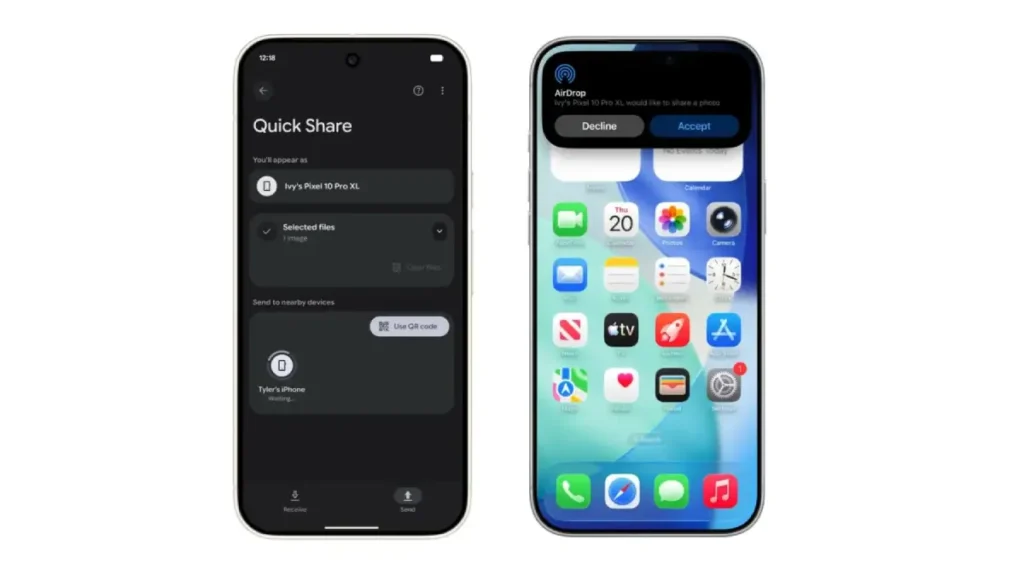
Currently, Quick Share is only compatible with Google’s Pixel 10 series. However, there is no compatibility restriction with iPhone/iPad/ Mac. If Quick Share not working with AirDrop, here’s how to fix this issue.
How to Resolve Issues with Google’s Quick Share and Apple’s AirDrop
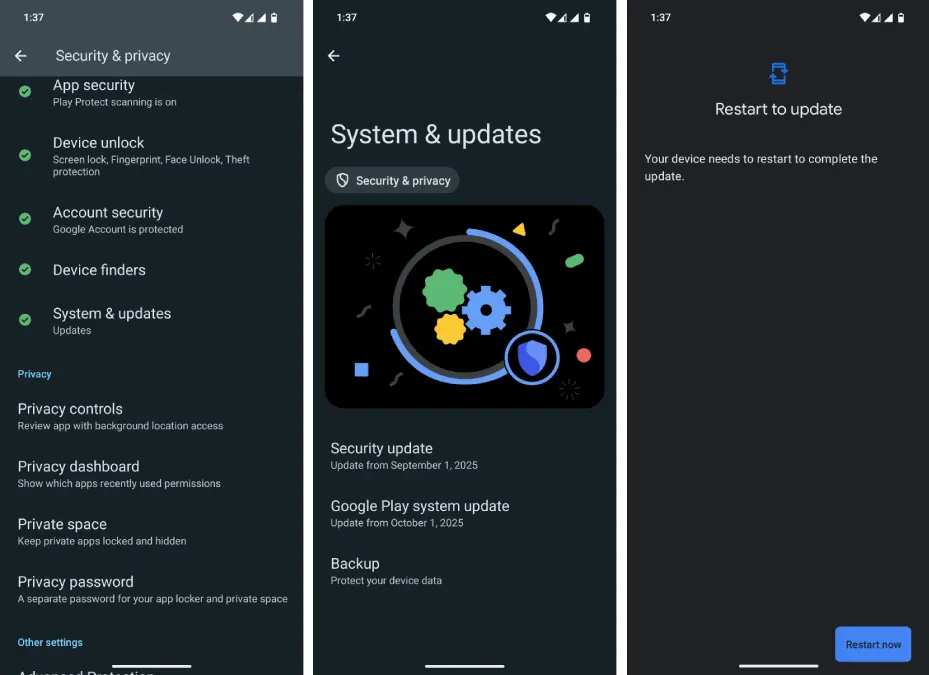
1. Open the Settings app on your Android phone and select the Security & Privacy option.
2. Scroll down and tap on the System & Updates option.
3. Select Google Play System Update, and if an update is available, tap the Download and Install option.
4. Next, select Restart Now to complete the Google Play System update.
5. After restarting the phone, go to Settings, tap on your profile picture, and select Google Services.
6. Go to the All Services tab and scroll to System Services.
7. Now, select the Quick Share extension from the list and update it.
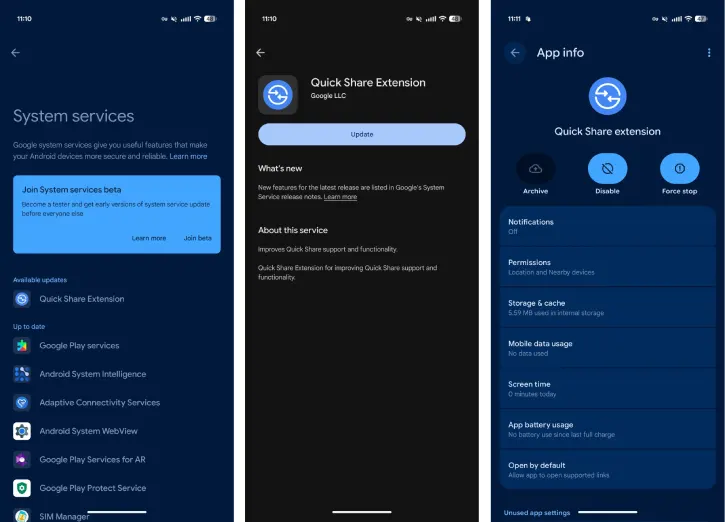
8. Finally, restart your device, and your task is complete.
Note: If you can’t locate the Quick Share Extension in your device’s System Services, you can manually install the app. Download the Quick Share extension APK from a site like APKMirror and sideload on your device.
That concludes the steps to resolve issues with Google’s Quick Share not working with Apple’s AirDrop. Follow these guidelines to ensure smooth file sharing between your devices.
Conclusion
Google has introduced Quick Share compatibility with AirDrop, facilitating easier file transfers between iPhones and Android devices, starting today for the Pixel 10 family. This feature prioritizes security and enhances compatibility, following improvements in RCS and tracker alerts.

