

Excel users can know how formulas reduce errors and save time when working with spreadsheets. If you are a beginner, this article brings you some basic Excel formulas you should learn. I am providing formula patterns and their names for easy understanding.
An Excel formula is a set of instructions that performs calculations or manipulations on data in spreadsheet cells. Formulas allow you to automate tasks, perform mathematical operations, and process information without manually entering every result.
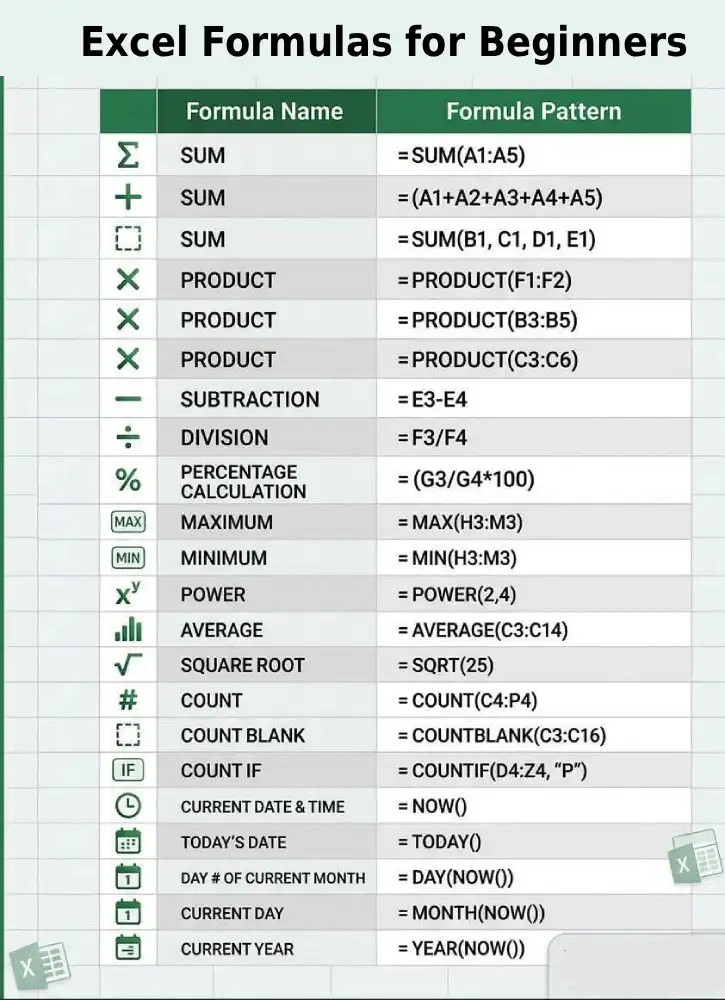
Table of Contents
Why Formulas Matter
Formulas save time and reduce errors by automatically updating when you change the underlying data. Instead of manually recalculating every time a number changes, your formula adjusts instantly. This makes them essential for financial analysis, data tracking, project management, and any spreadsheet work involving calculations.
Basic Excel Formulas
| FORMULA NAME | FORMULA PATTERN |
| SUM | =SUM(A1:A5) |
| SUM | =(A1+A2+A3+A4+A5) |
| SUM | =SUM(B1, C1, D1, E1) |
| PRODUCT | =PRODUCT(F1:F2) |
| PRODUCT | =PRODUCT(B3:B5) |
| PRODUCT | =PRODUCT(C3:C6) |
| SUBTRACTION | =E3-E4 |
| DIVISION | =F3/F4 |
| PERCENTAGE CALCULATION | =(G3/G4*100) |
| MAXIMUM | =MAX(H3:M3) |
| MINIMUM | =MIN(H3:M3) |
| POWER | =POWER(2,4) |
| AVERAGE | =AVERAGE(C3:C14) |
| SQUARE ROOT | =SQRT(25) |
| COUNT | =COUNT(C4:P4) |
| COUNT BLANK | =COUNTBLANK(C3:C16) |
| COUNT IF | =COUNTIF(D4:Z4, “P”) |
| CURRENT DATE & TIME | =NOW() |
| TODAY’S DATE | =TODAY() |
| DAY # OF CURRENT MONTH | =DAY(NOW()) |
| CURRENT DAY | =MONTH(NOW()) |
| CURRENT YEAR | =YEAR(NOW()) |
ALSO READ: You’re Using Excel Wrong: Learn These 5 Paste Special Features
Quick Guide for Beginners on How to Use Excel Formulas
As said above, formulas are equations that perform calculations or manipulate data in Excel cells. Here is a basic instruction on how to use formulas in Excel.
Basic Syntax
All formulas start with an equals sign (=). For example:
- =5+3 (adds 5 and 3)
- =A1+B1 (adds values in cells A1 and B1)
- =SUM(A1:A10) (sums cells A1 through A10)
Entering a Formula
- Click the cell where you want the result
- Type your formula (starting with =)
- Press Enter
The cell will display the calculated result, but the formula bar shows the actual formula.
Common Functions
- SUM(range) – adds numbers
- AVERAGE(range) – calculates average
- COUNT(range) – counts cells with numbers
- IF(condition, true_value, false_value) – returns different values based on a condition
- MAX(range) – finds the largest value
- MIN(range) – finds the smallest value
How to Copy Formulas
When you copy a formula down or across, cell references automatically adjust (unless you use $ to lock them, like $A$1). That’s the essentials. Start simple and build from there!
Conclusion
Excel formulas are powerful tools that transform static data into dynamic calculations. By learning the basics – starting with the equals sign, understanding operators, and learning key functions like SUM and IF – you can automate calculations, save time, and reduce errors in your spreadsheets.
Whether you’re managing budgets, analyzing data, or tracking metrics, formulas are essential for working effectively in Excel. Start with simple calculations and gradually explore more advanced functions as your needs grow.

