

WhatsApp now includes a built-in message translation feature, allowing you to chat without concerns about foreign languages. This functionality enables over 3 billion users across 180 countries to communicate without language barriers.
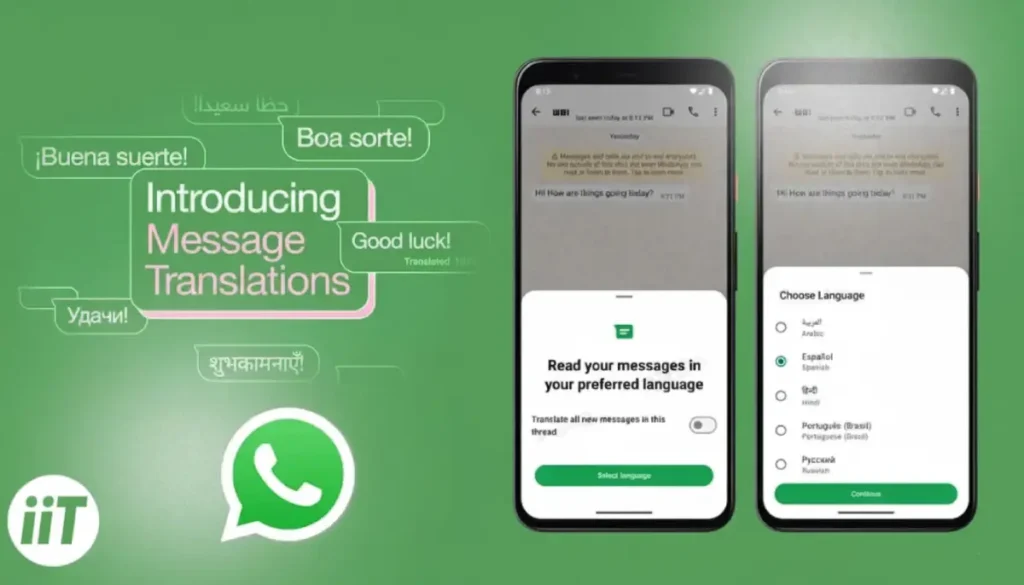
WhatsApp’s new message translation feature allows users to express themselves in their own language without relying on third-party translation apps. With this feature, you can easily translate incoming messages that are in different languages.
This feature simplifies communication by allowing seamless interaction across languages, enhancing the overall messaging experience for users worldwide. Here is how to use the in-app message translation feature in WhatsApp.
How to use the WhatsApp message translation feature?
1. Launch WhatsApp and go to the chat where you received a message in a foreign language.
2. Long press on the message you want to translate.
3. Tap on the three-dot menu icon located at the top-right corner of the screen.
4. From the menu that appears, select the Translate option.
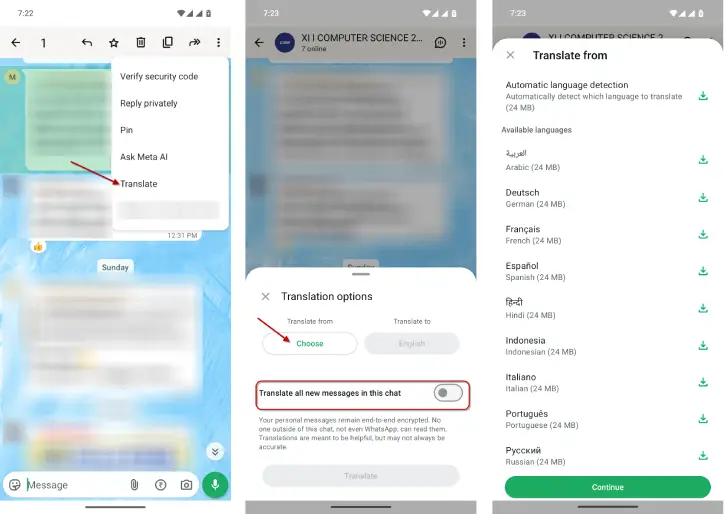
5. Choose the language of the original message and the language you want to translate it into.
6. To apply translation setting for future messages in the chat, turn on the “Translate all new messages in this chat” option.
7. To see the message in its original language or change the translation language, long press the message again and tap on “View translation” option.
Note that this feature is available on Android and iOS devices. On Android you can enable automatic translation feature. This means you no longer need to translate each message separately.
Currently, Android users have access to 9 languages for the translation feature, while iOS users benefit from support for over 19 languages. Meta is expected to introduce additional languages in future updates, enhancing communication options further.
Conclusion
WhatsApp has evolved into a comprehensive communication platform, offering texting, voice and video calls, status sharing, and AI features. Recently, it introduced an in-app message translation feature, further simplifying communication for users worldwide and enhancing the overall experience.

